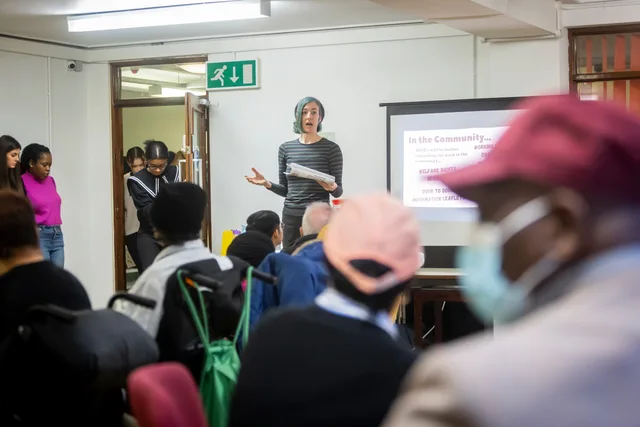

Community Launch
Community launch planning
Plan a community launch by testing demand, preparing useful discussions, inviting a founding group and assigning response coverage.
Plan a community launch around the first useful exchange members will have. Define the purpose, test whether people want to take part, prepare initial conversations and assign someone to respond before inviting a wider audience.
Define what the launch must make possible
Write a one-sentence promise from a member's point of view: who can take part, what they can do together and what the host will contribute. Use it to choose a first activity. A group for independent operators might open with a practical question about training new staff; a customer forum might open with a common setup difficulty and a staff member ready to clarify the answer.
Decide what success would look like in a real conversation. Can a member ask a relevant question, receive a useful response and understand where to go next? Membership totals alone cannot show whether that exchange happened.
Make the short description easy to find on the home page, using a banner or pinned topic so visitors can quickly understand what the space is for before deciding whether to join.
Test the need before building the room
Speak with people in the intended audience about a recent problem or decision. Ask where they seek help now, what is missing and whether hearing from peers would add value. Offer a small trial activity, such as a facilitated discussion in an existing channel, and observe what happens when the topic is concrete.
Record who was asked and who responded. Enthusiasm from close contacts can help shape a trial, but cannot establish demand across the wider audience. If the trial reveals a need for a maintained answer or private support instead of peer exchange, reconsider the format before opening another space.
Look for repeated questions in internal emails and other conversations the organisation already has. These recurring themes can supply practical launch topics; move them into a discussion space only when they are appropriate to share there, publicly or privately.
Prepare a space people can understand
Before invitations go out, a visitor should be able to tell what belongs, who hosts the community and how to get help. Prepare a short description, a welcome post, participation rules and a route for account-specific or sensitive matters. Start with only the discussion areas needed for the first activities; add structure when real conversations justify it.
Draw opening topics from questions prospective members already raise. Include a practical question, an opportunity to compare experience and a place to suggest improvements. Give each topic an owner who can return to replies. Empty categories and unanswered opening posts give newcomers little reason to participate.
Check the joining route from an invitee's point of view. Confirm that the invitation reaches the intended place, access is appropriate and the first activity is easy to find. Platform controls vary, so confirm the settings available in the chosen space.
A light introduction topic can invite people to share relevant experiences, opinions or stories. The host can contribute first, showing the kind of participation that fits without making newcomers guess how to begin.
Invite a manageable founding group
Invite people whose circumstances fit the purpose and whose perspectives differ. Ask for one bounded first action, such as bringing a question or responding to a topic they know. State that participation is optional. Do not describe invitees as advisers, ambassadors or representatives unless they have agreed to that role.
Keep the first wave small enough for the team to greet and respond to. Decide who watches new posts, who can answer specialist questions, who handles reports and who covers an absence. Expand invitations after seeing the work required to support the initial exchanges.
Personal invitations can help bring in staff, experienced users or friends who are willing to participate early. Ask a few of them to post example topics and replies, giving visitors real conversations to browse before they contribute.
Hosts can model the response they hope to see by acknowledging useful early posts. In Discourse, liking posts is one suggested way to show what the community values; visible appreciation can also encourage members to respond to one another.
Make the invitation discoverable through channels the intended audience already uses, such as a mailing list, email newsletter, website notice or blog post, with a clear link to the community.
Plan the opening and first review together
Choose an opening date once the space, initial activity and response coverage are ready. Tell invited members what is available and when the host will be present. If an event or live discussion is part of the opening, state the time zone and provide an alternative for people who cannot attend.
Set a review point while planning the launch. Read the early conversations: which questions drew useful replies, which remained unanswered, who could not find a suitable place to contribute and what work fell on staff. Ask founding members what they expected and what they found. Use that evidence to adjust the invitation, topics or staffing before widening access.
In this guide
- Testing interest before opening a new communityTest demand for a new community with conversations and a small trial exchange, then interpret interest without overstating the result.
- Writing a clear invitation for founding membersWrite a founding-member invitation that explains the community, offers a specific first action and makes participation genuinely optional.
- Planning useful activity for a community's first monthBuild a manageable first-month activity sequence with useful discussions, response owners and a review of what members actually need.