
Health Measures
Community participation and accessibility
Plan a community where members can find help, contribute through workable routes and catch up later, with accessibility checks across the journey.
Members should be able to find help, understand it, take part in a way that works for them and catch up later. Public posting and live attendance are useful options, but neither should be the only way to benefit. Plan these routes together and check whether members can use them.
Follow the member’s journey
Start with a task: finding an answer, asking about an unresolved problem or learning from an event. Trace it from the invitation to a useful outcome. At each step, ask what information, permission or control the person needs.
| Moment | Question for the team |
|---|---|
| Arriving | Can members tell what the space is for and who can see their activity? |
| Finding help | Can they locate a relevant, current discussion or resource? |
| Taking part | Can they read, contribute or contact the right person through an available route? |
| Following up | Can they find an answer or event learning after the conversation moves on? |
An access setting, unclear label or unanswered private message can interrupt the same journey. Give each gap an owner.
Follow the Member’s Journey: Key Checkpoints
- ArrivingCan members tell what the space is for and who can see their activity?
- Finding helpCan they locate a relevant, current discussion or resource?
- Taking partCan they read, contribute or contact the right person through an available route?
- Following upCan they find an answer or event learning after the conversation moves on?
Offer more than one way to take part
Describe what members can do without defining participation by post count. Reading an answer, sending a question privately, replying to a discussion and speaking at an event serve different needs. Explain which routes the team supports and what happens after someone uses one.
Keep account details on a suitable private route. A general question received privately may help others if the member agrees to a version being shared and identifying details are removed. Do not call a message anonymous when staff or the service can identify its sender. State the visibility of a public contribution before asking for one.
For live activities, offer a way to submit a question beforehand where possible. Afterwards, make useful learning available to people who could not attend. Preserve disagreements and open questions. Listening or reading without speaking remains a valid choice.
Public vs Private Participation Routes
- Public PostVisible to all; supports transparency and shared learning; requires consent before sharing private details.
- Private MessageConfidential; suitable for sensitive issues; must not be falsely labelled 'anonymous' if sender can be identified.
- Live Event AttendanceReal-time engagement; requires accessible recordings and summaries for absent members.
- Pre-submitted QuestionsAllows time to prepare responses; improves inclusion for those needing extra processing time.
Explain personal information use
An APP entity must take reasonable steps to notify people about specified matters when it collects personal information, or ensure they are aware of them. Explain the organisation’s identity and contact details, the fact and circumstances of collection, whether collection is required or authorised by law, collection purposes, consequences of not providing information, usual disclosures and its APP Privacy Policy.
State whether overseas disclosure is likely and, if practicable, the countries. Give this notice before or when collecting information, or as soon as practicable afterwards.
How much explanation is reasonable depends on context: OAIC guidance identifies the sensitivity of the information, possible adverse consequences and a person’s special needs as relevant. More rigorous steps may be needed where information is sensitive, harm risk is greater, or a person may not readily understand the notice, including people from non-English-speaking backgrounds.
Use this when deciding how to make privacy information accessible, not as a reason to collect extra details.
Key Accessibility Requirements from Australian Guidelines
- Privacy Notification Timing
- Before or as soon as practicable after collection
- Sensitivity of Information
- Higher steps required for sensitive data or vulnerable groups
- Language Access
- Use plain language; consider non-English speakers
- Overseas Disclosure
- State likely countries if practicable
Make information usable
A notice should lead with the change or action, say who is affected, give an unambiguous time zone when timing matters and provide a help route. Use familiar words and descriptive headings.
For events and recordings, plan the appropriate captions and text alternatives for important spoken and visual information. Give participants direct access to materials they need; a screen share alone may leave a document inaccessible. A short summary helps absent members understand the learning, while a recording and its accessible alternatives serve other needs. Check what participants were told could be shared.
Plan for needs that may not be known at registration and can change. W3C recommends checking both remote platforms and in-person venues, asking speakers to describe relevant visual information and use a good-quality microphone, and giving sessions an overview and review of key points. These practices can support people who cannot see, hear, move or speak easily, as well as people who process information differently.
Offer handouts and slides in formats participants can adapt, such as word-processing formats, HTML or EPUB; W3C notes that many users are more able to adapt word-processing documents. Do not make a protected Word document the only option, and consider that some participants may need large-print or braille materials. This gives members a choice of access route without requiring them to rely on a screen share.
Planning Accessible Events and Materials
- Plan captions and text alternatives for spoken/visual contentRequired for accessibility under W3C guidelines
- Provide materials in adaptable formats (e.g., Word, HTML, EPUB)Avoid protected documents as sole option
- Offer large-print or braille options where neededSupports members with visual impairments
- Share summaries and recordings with accessible alternativesEnsures value reaches absent participants
Check the interaction
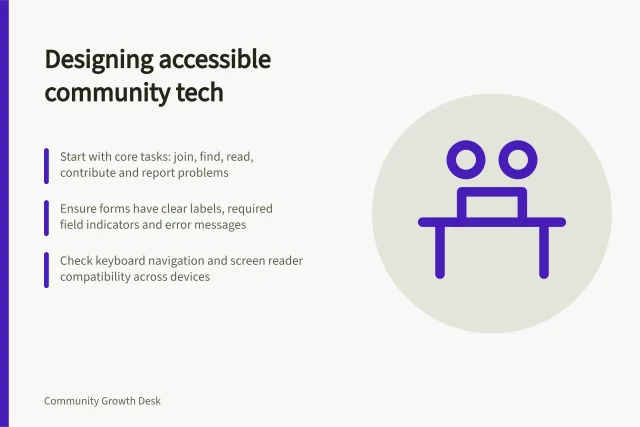
Clear content cannot compensate for a control that blocks the task. Review joining, search, posting, editing and reporting with ordinary member permissions. Check keyboard access, visible focus, understandable labels and errors explained in text. The platform and its configuration determine what needs repair; a provider’s general accessibility statement does not establish that this community’s tasks work.
Use the Web Content Accessibility Guidelines as a technical reference and involve people with different access needs in realistic task reviews. Record the task, role and setup. A small user review can reveal barriers, but cannot establish access for every member or WCAG conformance. Provide a usable contact route while a reported barrier is addressed.
Accessibility Checks for Community Participation
- Review joining, search, posting, editing and reporting with ordinary member permissionsYes
- Check keyboard access, visible focus, understandable labels and error messages in textYes
- Involve people with different access needs in realistic task reviewsYes
- Provide a usable contact route while a barrier is addressedYes
Treat accessibility as a connected system
Accessibility depends on more than the words a team publishes. W3C describes web content, the software people use to access it (user agents) and the tools used to create it as inter-related components.
Text alternatives, for example, need to be conveyed by browsers and assistive technologies, while authoring tools need to support their creation. When a member cannot complete a task, check the content and its supporting tools rather than treating the page as the only possible source of the barrier.
Own the follow-up
Let members report an access barrier privately without having to describe a disability in public. Ask only for details needed to investigate the failed task and handle identifying information through the organisation’s applicable privacy process.
Assign an owner to review the report, arrange a workaround where possible and tell the member what happens next. Recheck the task after a change. Also look for event learning that never reaches absent members, notices people misunderstand and resources they cannot find. Post and attendance counts alone cannot establish whether those members received value.
In this guide
- Reducing barriers for members who do not post publiclyGive members clear reading, public and private routes to help, then check where the path breaks without treating post counts as the outcome.
- Making event summaries available to absent membersWrite and share an accessible event summary that preserves useful approaches, limits and open questions for members who could not attend.
- Writing community notices in clear languagePut the change, affected members, action, timing and help route first in community notices, then check the wording and delivery.
- Designing a community for members using assistive technologyCheck joining, reading, posting and reporting tasks with keyboard, screen reader and other access routes, then record barriers for repair.